
Check sheets validity
This tool will search for mistakes such as 2 sheets for the same part, missing sheets, outdated sheets, or unconnected dimensions. This will help prevent over-production, under-production, or the production of wrong parts.
This tool can be found in the sheets manager under the factory icon :
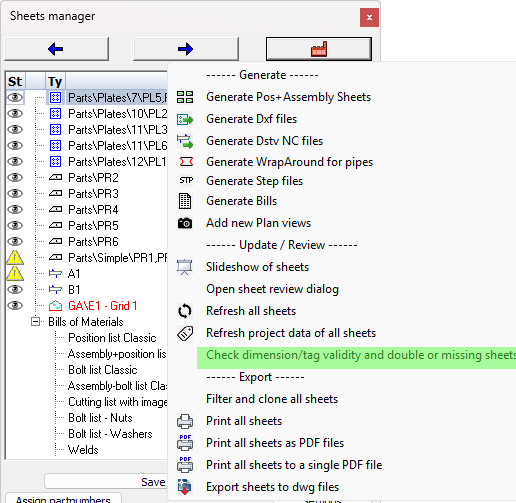
This tool will perform the following checks on all the sheets in the current drawing :
- Check whether all shop drawing views are still connected to parts/assemblies in the model, and are up-to-date
- Check whether all the dimensions and annotations are still connected to a part in the view(s)
- Check whether a particular part/assembly number is drawn on multiple sheets. Duplicate shop drawings could cause over-production.
- Check whether a particular part/assembly number is not yet drawn on any of the sheets. This could cause under-production.
We can already visually see parts or assemblies without sheets in the sheets manager.
At the end of the command a warning dialog box will appear with a listing of all the above issues that were found per sheet.
This tool will not fix any of the issues, it only provides information and changes the status of dimensions and views.