
Installing Parabuild twice on the same system
It is possible to install Parabuild twice on the same system.
You might want to do this for switching to a big new release : you may want to finish your current projects on the current Parabuild version while you learn and set up the new Parabuild release.
When the installation of a second Parabuild is attempted, the following message is displayed :
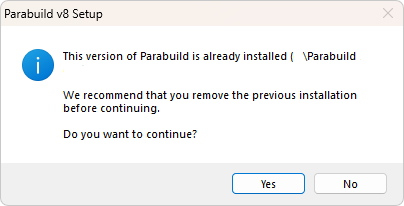
You can say yes here and make sure to choose a different installation folder.
However having 2 Parabuild installations can still cause 2 problems :
- Parabuild icons will compete with each other if used in the same AutoCAD/BricsCAD installation.
Use the Parabuilds in different AutoCAD/BricsCAD installations to solve this.
Alternatively, if you do not want 2 CAD installations then the drafter can use the command PrB_Menu if they have problems with the icons : for example the icons of the wrong Parabuild version are shown. - The second problem only relates to AutoCAD :
The properties that Parabuild shows in AutoCAD are registered in the Windows registry. But the different Parabuild installs are trying to use some of the same registry entries.
To solve this the drafter should run the file \Parabuild\StartupSettings.exe and then press Ok each time that they switch between the different Parabuild versions. This tool will do the registry fixing (and asks for Administration privileges to do that). Failing to do this step will cause a crash in AutoCAD when the properties panel is opened.