
Parabuild Settings
Command: PrB_Settings
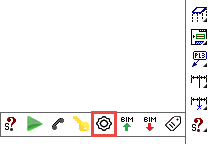
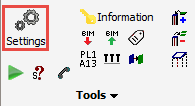
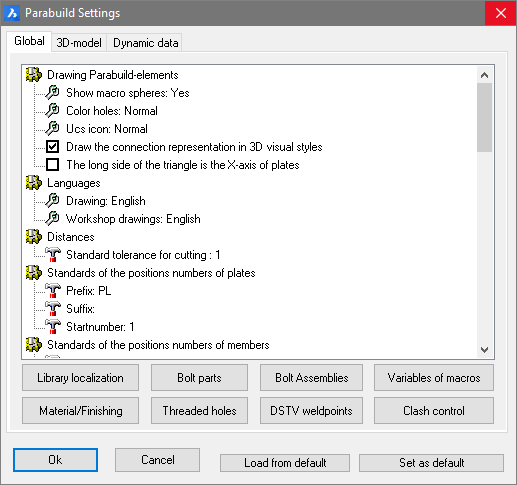
The Parabuild settings window has 3 main tabs:
Global - Where you can preset global standards and settings - these settings will override all AutoCAD and BricsCAD settings
The bottom buttons allow you to edit the various libraries and filters, and clash control settings
3D Model - These settings will determine how the model is presented and viewed
Dynamic data - This allows additional properties to be created to supplement the properties already offered by Parabuild
Where are the values of these settings stored?
Most of the setting values on the tabs Global and 3D-model are stored in the 3D drawing (.dwg file).
So if you make another 3D drawing active, then you might see different values in the tabs Global and 3D-model.
Where are the library settings stored?
All the settings behind the below 7 buttons are stored in the Parabuild library (fe c:\Parabuild\Pb_Lib)
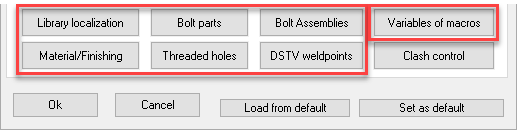
The library folder can be switched to a different location with the help of the Parabuild Startup settings tool.
To learn more about the library and the startup settings tool see Parabuild library folder.
How to change these values for existing parts?
This dialog box will not modify the settings of existing parts in the drawing.
The settings in this dialog box only applies to new parts that will be drawn.
If you want to change the settings of existing parts, then use the Properties panel to change the settings of a single part or several parts at the same time.
How to store these settings?
You can use the Load/Set from default buttons at the bottom of the dialog box to store or retrieve the setting values in the dialog box.
This refers only to the settings on the Global and 3D-model tabs.

- Set as default will store all of the settings in a file in your Parabuild installation folder (\Parabuild\defset.dat).
All new 3D drawings that you create starting from a template drawing will assume these defaults. - Load from default will read the defaults that have been stored in \Parabuild\defset.dat and will apply all the values to the current 3D drawing.