
Reviewing sheets in a separate dialog box
Reviewing sheets can be done in a separate dialog so that two sheets in the same drawing can be compared, or the 3D model can be open at the same time as 2D sheets of the same drawing.
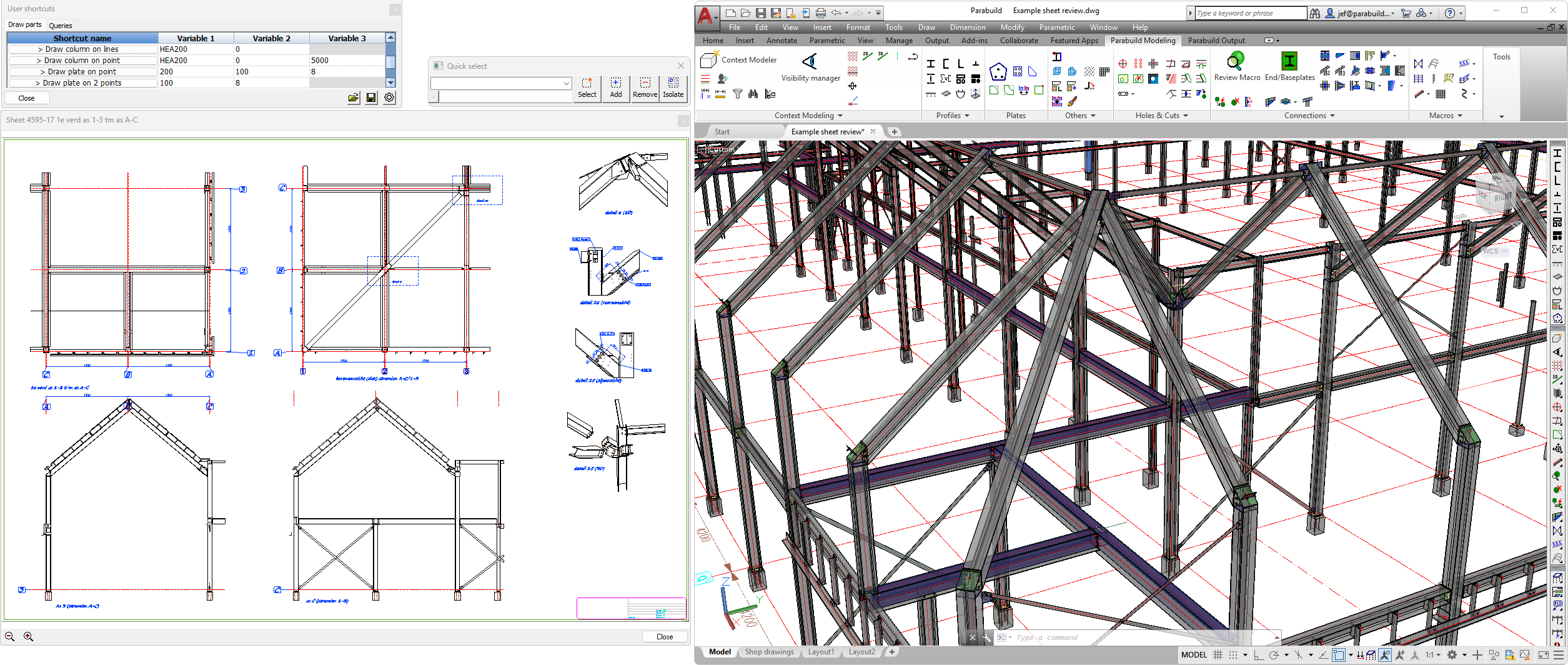
This is an example of the review sheet window opened outside of the main AutoCAD/Parabuild window. The GA sheet that is shown is a part of the 3D model opened in the Parabuild session.
To use this new tool, right-click on a sheet or part in the sheets manager and choose the option Review sheet in dialog :
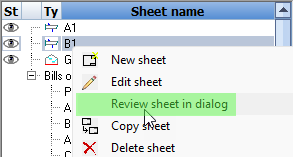
The Context menu also has options to view the sheet of a part directly in the review dialog.
The next/previous buttons in the sheets manager will open the next sheet in the review dialog box if it is already open.
One purpose of this review dialog box is to have it displayed on a secondary monitor so that you can work on the 3D model while having a sheet open at the same time. Or for editing a sheet while viewing another sheet at the same time.