
Cut by PolyLine
Command - Prb_CutByPoly
This command allows us to add internal copes to a profile or a plate.
At the command line prompt, first select the plates and/or profiles to be cut, and then press <Enter>.
You will then be prompted to indicate the PolyLine.
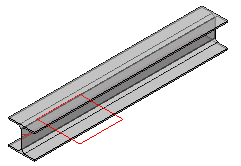
The PolyLine may be a Circle, a Rectangle, or a user-defined PolyLine.
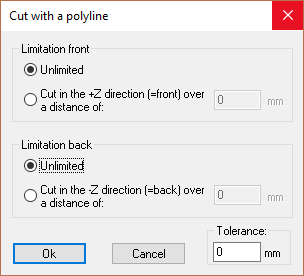
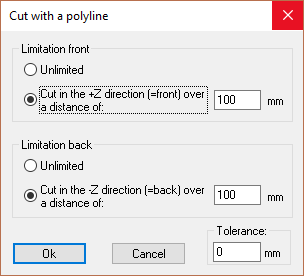
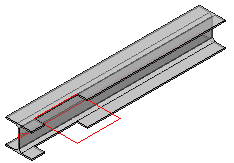
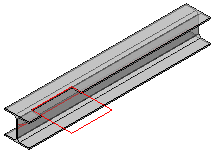
The following dialog will appear where you have the option of making the cut Unlimited - which will cut through the entity entirely - or alternatively, you may prescribe the depth of the cut.
|
|
|
|
|
|
|
|
The PolyLine before applying the cut |
Cut result with unlimited depth |
Cut result with limited depth in Z Direction |
The default offset that this command uses for all new cuts is set in the Global settings under the Distances category, the setting is called Standard tolerance for cutting.
Note Please take note of this Recommendation for the cutting polyline's positioning