
Cutting
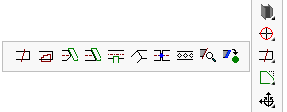
These are all the commands for creating, modifying and removing cuts :
- Cut by Line or to Point
- Cut by PolyLine
- Add planar cut against a surface
- Cut against a part (shorten only)
- Cut against a part (shorten and extend)
- Cutout with a part
- Miter cuts
- Break Profile
- Hex. Holes (Castellated)
- Edit a Profile's Cuts
- Add Cut to macro
- Remove Holes and Cuts This topic under the holes section is also related to cuts because it allows removal of cuts
- Considerations when cutting profiles
End cuts and using them to override a profile's length
It is good to know that the length of profiles can be overridden by planar cuts.
This is how the mechanics work :
- The Profile placement tool defines the position and length of the axis of the profile. The axis is based on the model line of the profile placement and also determines the initial length of the profile.
- When we add a defining planar cut to the start or end of a profile, the axis is extended on that side.
- This will work when a macro still 'owns' the profile's axis through a profile placement. The model line's length does not define the length of the axis on that side anymore.
This will also work on profiles that are not owned by a macro.
The axis is seen as a fixed direction, and the axis endpoint per side is calculated by first calculating the length of the profile after the planar cut has been applied to it.
This mechanic is crucial to make certain macros like for example a portal frame macro work : a structural macro defines the position of the rafter, and a different apex connection macro defines the exact length based on the position of the endplates at the apex.
This also gives the user a powerful workflow :
- You first draw model lines of the structural frame.
- You draw the profiles on top of them. The profiles will all be too short or too long.
- Then you apply baseplates and other connections, at which time the profile lengths are calculated correctly.
A defining planar cut is a planar cut that extends or shortens the profile, and this is a property defined during creation of the cut.
The start-and end of the profile can each have just 1 defining planar end cut for this reason. Only 1 end cut can override the length per side.
When you attempt to draw a second defining planar cut on a side that already has one, Parabuild will usually make the existing planar cut non-defining and the new planar cut defining.