
Automatic Dimensions
This dialog box can be opened by clicking on Settings in the Sheets manager and in that dialog clicking on the Drawings tab, and under that the sub tab called Dimensions :

The automatic dimensions are dimensions that Parabuild draws automatically for you on the workshop drawings of plates, members, and assemblies.
These are programmed dimensions based on the settings in these dialog boxes.

In this dimensions list the order of the items do not influence the sheet generation but they are sortable for the convenience of the user.
The General settings determines which part and assembly types each dimensions entry is intended for. This will not be used as a filter for the sheet generation but it will be used by the dialog box to determine which detail groups and GA drawings can utilize these named settings.
The part type will also influence the dimension options that are available. Therefore the part type should be set first before attempting to change the dimension options
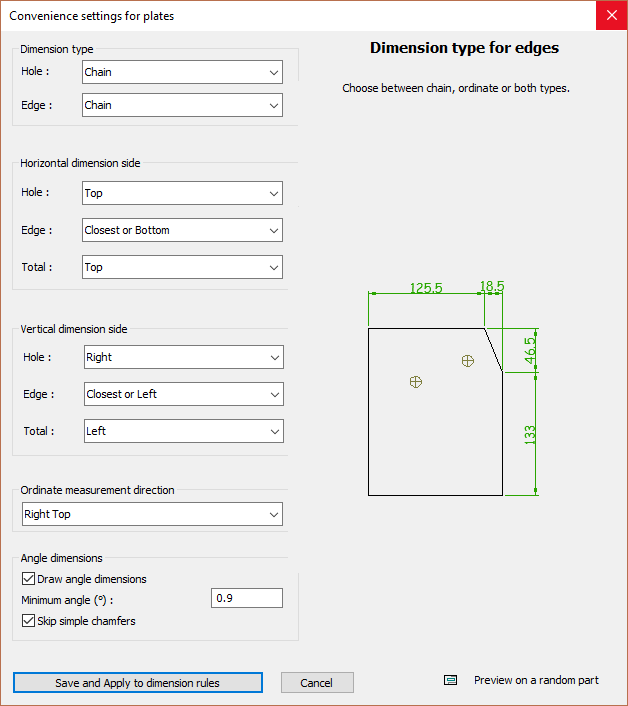
When you open the Dimension settings dialog then you will see a different dialog for plates than for members, for example.
These dialogs are not explained in detail here because they are interactive - moving the cursor over an option will open an example and description on the right side of the dialog.
The checkbox Show information on the command line is a useful tool for when you want to change the dimension rules manually, and want to know which dimension rules are actually being used during shop drawing generation.