
Export sheets as DWG files
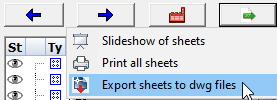
This tool allows you to export all of the sheets to DWG files.
The files will be located in the same folder as the location of the 3D model, under a sub-folder that carries the name of the 3D dwg file's name.
The exported dwg file will be the sheet name.
When the sheet name contains subfolders then these subfolders will be recreated exactly for the exported dwg filename.
Before the actual export is executed, Parabuild will first ask whether the shop drawings should be refreshed or not.
This is advised to ensure that the number of parts in the bill of each sheet corresponds with the actual parts in the 3D model.
During this process, it will warn you in case you're about to export an expired drawing.
After that the command will ask whether you want to clone and filter the sheets before printing them.
Both of these questions may be obtrusive to some users which is why they can be disabled in the General output settings.