

STRUCTURAL
STEEL DETAILING
3D MADE EASY
FLEXIBLE AND POWERFUL
3D STEEL DETAILING
HIGHLY AUTOMATED
DOCUMENT GENERATION
LEARN MORE ABOUT PARABUILD 
Short learning curve: productivity ASAP

Intuitive
instant-feedback interface

Quickly draw parametric 3D structures
Intuitive
instant-feedback interface
Short learning curve: productivity ASAP
Quickly draw parametric 3D structures
Parabuild perpetual licenses:
MORE INFORMATION ABOUT THE DIFFERENT VERSIONSSteel Detailing in 3D
FAST AND INTUITIVE MODELING
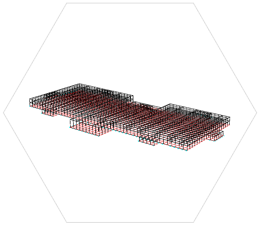
For easy detailing of structural steel - small parts or frame elements such as beams, columns, girders, struts, joists, purlins - use the Context Modeler for maximum productivity. Move the cursor around and solutions are offered in real time based on cursor location, nearby members and other context. The new element is automatically linked to the nearby members or to the grid.
EASILY CONNECT MEMBERS
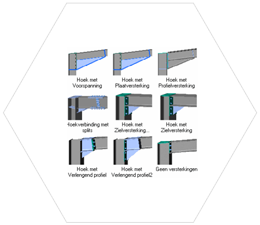
Parabuild has a library of hundreds of standard steel connections. Detailing connections is easy; select the members and only valid types are proposed for that situation. The connection is immediately drawn and any changes made are shown instantly on the 3D model. Easily turn unconnected members into fully connected structural steel.
USER-DEFINED CONNECTIONS
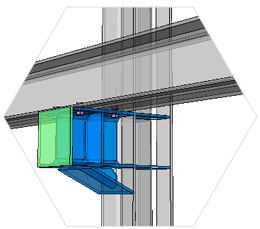
Every single standard connection was created using tools that are available to any detailer, without programming a single line of code. This was done by using simple geometric rules on members and parts inside template drawings, which means you can create your own connections! They are integrated with the existing connection system for easy re-use in all your projects.
GEOMETRIC CONSTRAINTS
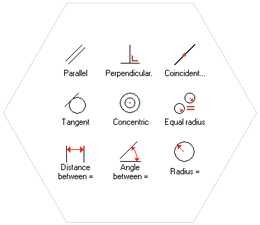
Parabuild is the only structural steel detailing software that allows fully constrained structures. Connections and macros can be constrained in template drawings and re-used in any project. That includes whole structures, trusses, wind bracing, cladding, stairs, … This means it is possible to customize Parabuild without hiring a programmer or writing any code.
COMPLETELY INTEGRATED IN
AUTOCAD & BRICSCAD
Most steel detailers are already familiar with AutoCAD or BricsCAD, which reduces training investment. Structural steel objects can be modified through the standard commands or using the Object Property Manager, all Parabuild objects are integrated as if they are native AutoCAD/BricsCAD objects.
COLLISION DETECTION
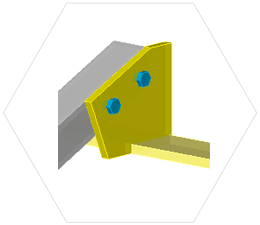
Parabuild will automatically detect any collision between parts and show it on the screen. Bolt clearance and hole to edge/hole to hole distances are checked as well.
Details, Drawings and Documents
AUTOMATIC GENERATION OF SHOP DRAWINGS
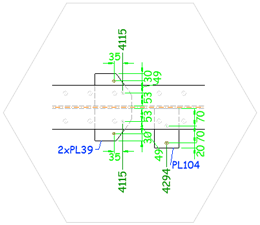
Automated steel detailing: Parabuild generates quality 2D part and assembly detail drawings directly from the 3D model. Dimensions are automatically added and AI technology ensures good readable placement for the dimensions.
EASILY CREATE GENERAL ARRANGEMENT DRAWINGS
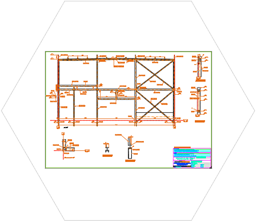
Use the 3D structure to easily create GA drawings; anchor bolt plans, side views, floor plans, 3D views, sections, … The general arrangement drawings stay connected to the 3D model so you can update them with a single click - dimensions will also adjust to changes.
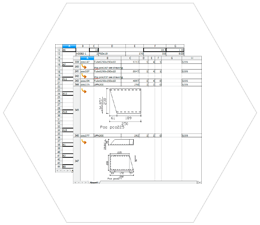
GENERATE BILL OF MATERIALS
Generate any type of BOM in formats Excel, Parabuild spreadsheet or text file. Customize titles, columns, totals, etc…
CNC OUTPUT
Generate CNC files at the click of a button. DSTV files for plates and members, DXF files for plates. IFC files can be generated for use by newer CNC machines.
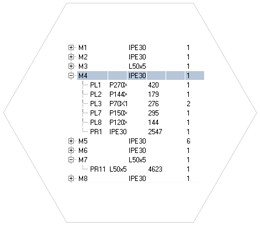
AUTOMATIC NUMBERING
Equal parts and assemblies are automatically recognized and assigned part and assembly numbers.
Latest news
Parabuild version 9.1 released August 7, 2026
We are releasing a new version of Parabuild with improved access to selection history, better sheet changes tracking, more Ifc property exporting capabilities, an extra CNC export, new connections, and much more. Previous selections Previous selections offers access to a previous selection instantly, outside or from inside any command. This avoids you having to…
Parabuild version 9 released December 17, 2025
We are releasing a new version of Parabuild with a much-improved 2D sheet refresh, better performance for large projects, a new context menu, programming API, complex bolt parts, and much more. Below are the most important new features that were made available in this update: Sheet refresh Sheet refresh was completely rebuilt and has…
Parabuild version 8.1 released September 4, 2024
We are proud to announce a new release of Parabuild that focuses on the details of shop and general arrangement drawings such as grating, material hatches, and object filter based representation. These are the most important new features that were made available in this update: Speed improvements This is an important version for performance…
Parabuild version 8 now available December 29, 2023
We are proud to announce a new release of Parabuild that focuses on improved automation document generation and expanded bolt features These are the most important new features that were made available in this update: Much more flexibility for the settings of workshop drawings, CNC files and parts lists The settings of workshop drawings…